Multitech MT5656ZDX Series Guida Utente
Navigare online o scaricare Guida Utente per Networking Multitech MT5656ZDX Series. Multitech MT5656ZDX Series User guide Manuale Utente
 1
 2
 3
 4
 5
 6
 7
 8
 9
 10
 11
 12
 13
 14
 15
 16
 17
 18
 19
 20
 21
 22
 23
 24
 25
 26
 27
 28
 29
 30
 31
 32
 33
 34
 35
 36
 37
 38
 39
 40
 41
 42
 43
 44
 45
 46
 47
 48
 49
 50
 51
 52
 53
 54
 55

MultiModem
AT Commands
Reference Guide
File PDF · ·
Sommario
MultiModem II MT5600BA-V92 MT5600BR-V92 MT5656ZDX MT5656ZDXV AT Commands Reference Guide
Copyright and Technical Support Multi-Tech Systems, Inc. AT Commands Reference Guide (S000273G) 2 AT Commands Reference Guide Products: MT5600BA-V92…
Table of Contents Multi-Tech Systems, Inc. AT Commands Reference Guide (S000273G) 3 Table of Contents Chapter 1 – Introduction 4 Chapter 2 – AT…
Chapter 1 – Introduction Multi-Tech Systems, Inc. AT Commands Reference Guide (S000273G) 4 Chapter 1 – Introduction AT commands are used to control…
General Commands Command: AT Attention Code Values: n/a Description: The attention code precedes all command lines except A/ and the escape sequence.…
Command: DS=n Dial Stored Telephone Number Values: n = 0–3 Default: none Description: Dials a number previously stored in directory number n by the…
Command: Qn Result Codes Enable/Disable Values: n = 0 or 1 Default: 0 Description: Q0 Enables result codes. Q1 Disables result codes Command: Sr…
Command: Yn Long Space Disconnect Note: For use with MT5600BA and MT5600BR only. Values: n = 0 or 1 Default: 0 Description: Y0 Disables…
Command: &En Modem-Initiated Flow Control Note: For use with MT5600BA and MT5600BR only. Values: n = 3, 4, or 5 Default: 4 Description: &E3 Flow…
Command: &Pn Make/Break Dial Ratio Values: n = 0, 1, 2,3 Default: Varies by country/region Description: &P0 Make/Break dial ratio of 39/61 at 10 pps…
Command: &Wn Store Current Configuration Values: n= 0 or 1 Default: None Description: &W0 Stores current modem settings in nonvolatile memory as…
Command: %En Line Quality Monitor Values: n = 0, 1, or 2 Default: 2 Description: Controls whether or not the modem will automatically monitor the line…
Command: \Kn Break Control Values: n = 0–5 Default: 5 Description: Controls the response of the modem to a break received from the computer, the…
Command: +GCI Country/Region of Installation Description: This extended syntax command selects and indicates the region/country of installation for…
Command: -Kn MNP Extended Services Values: n = 0, 1, or 2 Default: 0 Description: Enables or disables conversion of a V.42 LAPM connection to an MNP…
Escape Commands Command: +++ Escape Sequence Note: Use with MT5600BA and MT5600BR only. Type +++ and wait for OK response. Then issue the following…
Modem Connection Commands Command: +PCW=n Call Waiting Enable Values: n = 0, 1, or 2 Default: 2 Description: Controls the action to be taken upon…
Command: -QCPC Force Full Startup Procedure Next Connection Description: This command causes the modem to use full startup procedures on the next…
Caller ID Commands Command: +VCID=n Caller ID Selection Values: n = 0, 1, or 2 Default: 0 Description: Enables Caller ID detection and configures the…
Data Compression Commands Command: +DR Data Compression Reporting Values: 0, 1 Default: 1 Description: This extended-format numeric parameter controls…
<max_codewords_tx> The decimal number from 256 to 2048 that specifies the maximum number of code words which should be negotiated in the transmit…
<orig_fbk> Decimal number which specifies the acceptable fallback mode of operation when the modem is operating as the originator. 0 LAPM, MNP, or…
DTE Commands Command: +IFC DTE-Modem Local Flow Control Description: This extended-format compound parameter controls the operation of local flow…
Command: +IPR Fixed DTE Rate Description: This numeric extended-format parameter specifies the data rate at which the modem will accept commands…
Call Control Command Command: -STE= Set Telephony Extension Description: This command enables/disables Line-In-Use, Extension Pickup, and Remote Hang…
Remote Hang-up (enabled by AT-STE=4, AT-STE=5, AT-STE=6, or AT-STE=7): Case 1: Modem off-hook, Remote Hang-up If the modem is connected (off-hook) and…
Automated system that needs to periodically use the line while giving the voice user the highest priority A common use for these features: An…
Note: Voice commands apply to the MT5656ZDX-V only. Voice Commands Overview Non-Voice Commands For Configuring the Voice Function +FCLASS Set Mode…
Command: +VNH= Automatic Hang-up Control Description: This command enables or disables automatic hang ups. Syntax: +VNH=<hook> Values: <hook> Decimal…
Voice Commands These commands are listed in the order in which they might be used. Command: +VIP Voice Initialize All Parameters Description: This…
Mostra tutte le 55 pagine
+VTS Examples: Example 1 This example illustrates tone generation without using any null elements. The command example is followed by a description of…
Command: +VIT Voice Inactivity Timer (DTE/Modem) Description: This command sets the modem’s initial value for the DTE/modem inactivity timer. Syntax…
Table of +VLS Command Options Label Primitives Description +VTX +VRX +VSP=1 0 None DCE on-hook. Local phone connected to the line. 1 T DCE off-hook.…
Command: +VRN Ringback Never Appeared Timer Description: This command sets the length of time the modem will wait between ringbacks during call…
Command: +VTD Beep Tone Duration Timer Description: This is a V.90 command. This command causes the modem to set the default DTMF/tone generation…
Command: +VPR Select DTE/Modem Interface Rate (Turn Off Autobaud) Description: This command selects the DTE/modem interface rate. Syntax: +VPR=<rate>…
Speakerphone Commands Command: +VSP Speakerphone ON/OFF Description: This command turns the speakerphone ON or OFF. Syntax: +VSP=<mode> Values: <mode>…
Unformatted Form Reporting – Caller ID The MultiModem does not display the Caller ID information if it detects a checksum error in the caller ID…
Shielded Code Hex Event Report Description 8 (38) Event Number 4 (DTMF 8). 9 (39) Event Number 4 (DTMF 9). 0 (30) Event Number 4 (DTMF 0). A (41)…
Chapter 4 – V.8 / V.8bis Commands Multi-Tech Systems, Inc. AT Commands Reference Guide (S000273G) 40 Chapter 4 – V.8 / V.8bis Commands V.8 is a way…
Chapter 5 – V.25bis Commands Multi-Tech Systems, Inc. AT Commands Reference Guide (S000273G) 41 Chapter 5 – V.25bis Commands Note: These commands can…
Chapter 5 – V.25bis Commands Multi-Tech Systems, Inc. AT Commands Reference Guide (S000273G) 42 Command: RLF List Request of Forbidden Number…
Certain modem values, or parameters, are stored in memory locations called S-Rregisters. Use the S command to read or alter the contents of the…
S-Reg Unit Range Default Description S29 10 ms 0–255 70 On Hook Time: Sets the length of time that the modem goes on-hook when it encounters a flash…
S-Reg Unit Range Default Description S95 decimal 0–255 0 Extended Result Codes Control: A bit set to a 1 in this register, in conjunction with the W…
The modem responds to commands from the DTE and to activity on the line by signaling to the DTE in the form of result codes. The result codes that the…
Terse Verbose Description 13 CONNECT 7200 Connected at 7200 bps and speed reporting enabled. Modem connects to the line at7200 bps and DCE speed…
Terse Verbose Description 64 CONNECT 28800 Connected at 28800 bps and line speed reporting enabled. Modem connects to the line; either the line speed…
Terse Verbose Description 160 +MRR: 52000 Connected at 52000 bps. Modem connects to the line at 52000 bps and carrier reporting is enabled. (See S95…
Terse Verbose Description 196 +MRR: 29333 Connected at 29333 bps. Modem connects to the line at 29333 bps and carrier reporting is enabled. (See S95…
Chapter 8 – Setting Country/Regional Codes Multi-Tech Systems, Inc. AT Commands Reference Guide (S000273G) 51 Chapter 8 – Setting Country/Regional…
bit Frame Check Sequence – +EFCS 21 A Analog Source/Destination Selection – +VLS 32 Answer – A 5 AT Commands #CBNn – Store Callback Number 19 #CBPn…
-QCPC – Force Full Startup Procedure Next Connection 18 -QCPS – Enable Quick Connect Profile Save 18 Qn – Result Codes Enable/Disable 7 RLD – List…
Local Analog Loopback Test – &Tn 10 Long Space Disconnect – Yn 8 M Make/Break Dial Ratio – &Pn 10 Maximum MNP Block Size – \An 12 Microphone Gain…
Voice Gain Receive (Record Gain) – +VGR 31 Voice Gain Transmit (Playback Volume) – +VGT 31 Voice Inactivity Timer (DTE/Modem) – +VIT 32 Voice…
Più documenti per Networking Multitech MT5656ZDX Series
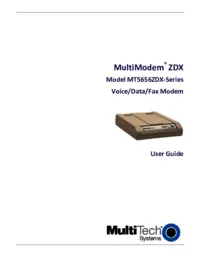 Multitech MT5656ZDX Series Guida Utente
(29 pagine)
 Multitech MT5656ZDX Series Manuale Utente
(58 pagine)
 Multitech MT5656ZDX Series Specifiche
(8 pagine)
Domande su Multitech MT5656ZDX Series
Non ci sono ancora domande su questo manuale. Fate la prima.
Prodotti e manuali riguardanti Networking Multitech MT5656ZDX Series
- Networking Multitech MTCBA-G-F2 Guida Utente
 (61 pagine)
- Networking Multitech MultiConnect Adapter Guida Utente
(181 pagine)
- Networking Multitech CDMA Guida Utente
(67 pagine)
- Networking Multitech MT5656ZDX Series Specifiche
(8 pagine)
- Networking Multitech MultiModem ZPX MT5634ZPX-V.92-ISA Manuale Utente
(12 pagine)
- Networking Multitech MTR-C2 Specifiche
(330 pagine)
- Networking Multitech CDMA Guida Utente
(249 pagine)
- Networking Multitech MTCMR-H Specifiche
(12 pagine)
- Networking Multitech MultiModem MTCBA-G-F4 Manuale Utente
(6 pagine)
- Networking Multitech MTR-H5 Guida Utente
(26 pagine)
- Networking Multitech MT100A2W Specifiche
(16 pagine)
- Networking Multitech MULTIVOIP MVP-130FXS Guida Utente
(120 pagine)
- Networking Multitech MTCBA-C-N12 Manuale Utente
(43 pagine)
- Networking Multitech MT5600SMI Specifiche
(138 pagine)
- Networking Multitech MTCBA-C-IP-N12 Manuale Utente
(17 pagine)
- Networking Multitech FaxFinder FF240-IP Manuale Utente
(23 pagine)
- Networking Multitech MVP810-AV Manuale Utente
(4 pagine)
- Networking Multitech MTCBA-C-U-N2 Specifiche
(308 pagine)
- Networking Multitech MTCMR-H Specifiche
(56 pagine)
- Networking Multitech CDMA Specifiche
(129 pagine)